
SCB Account Linking Flow
Standard Chartered Bank Connected Banking — Onboarding via Open Money
Objective
This document outlines the process for companies to enable Standard Chartered Bank (SCB) Connected Banking services through the Open Money Platform via API integration. The steps below detail the complete onboarding journey, from initiation to account linking.
Step-by-Step Onboarding Process
Step 1: Initiate Request with Standard Chartered Bank
- Contact your Standard Chartered Bank Relationship Manager (RM) and inform them of your intent to integrate SCB banking services through the Open Money Platform using APIs.
- The RM will initiate the internal onboarding workflow with SCB’s technical and operations teams.
Step 2: Submission of Setup Sheet
-
SCB will share a Setup Sheet with the company for configuration and validation.
-
The company must fill in the required details, including:
- Account information
- Authorization matrix
- Company and director details
-
Once completed, submit the Setup Sheet back to SCB for review.
Reference:
📄 Setup Sheet Template — View
Step 3: Signing the Agreement
- The company must sign the Generic Terms & Conditions Agreement with Standard Chartered Bank to authorize API-based banking connectivity.
Step 4: Bank Verification and Approval
- SCB will verify the provided company information, documentation, and agreements.
- Upon successful validation, SCB will approve the company for API integration enablement.
Step 5: SSL Certificate and RSA Key Sharing
-
Open Money will provide SCB with the following details for configuration and whitelisting:
- SSL public certificate
- Domain information
- RSA key for encryption and secure communication
Step 6: Bank Provides Signed Certificate and Activation Kit
-
Once the setup is complete, SCB will share:
- A signed public certificate
- An activation kit containing configuration credentials and access details
-
These credentials will be securely shared with Open Money for backend configuration.
Step 7: API Configuration and Activation
- Open Money will configure the certificates, validate API endpoints, and trigger an activation request with SCB to establish a secure connection between systems.
Step 8: API Subscription
- Open Money will subscribe to all relevant SCB APIs necessary for connected banking operations, including balance inquiries, statement retrieval, and payment initiation.
Step 9: Customer Account Linking
Once the setup and configuration are completed:
-
Open Money will notify the company that SCB connectivity has been enabled.
-
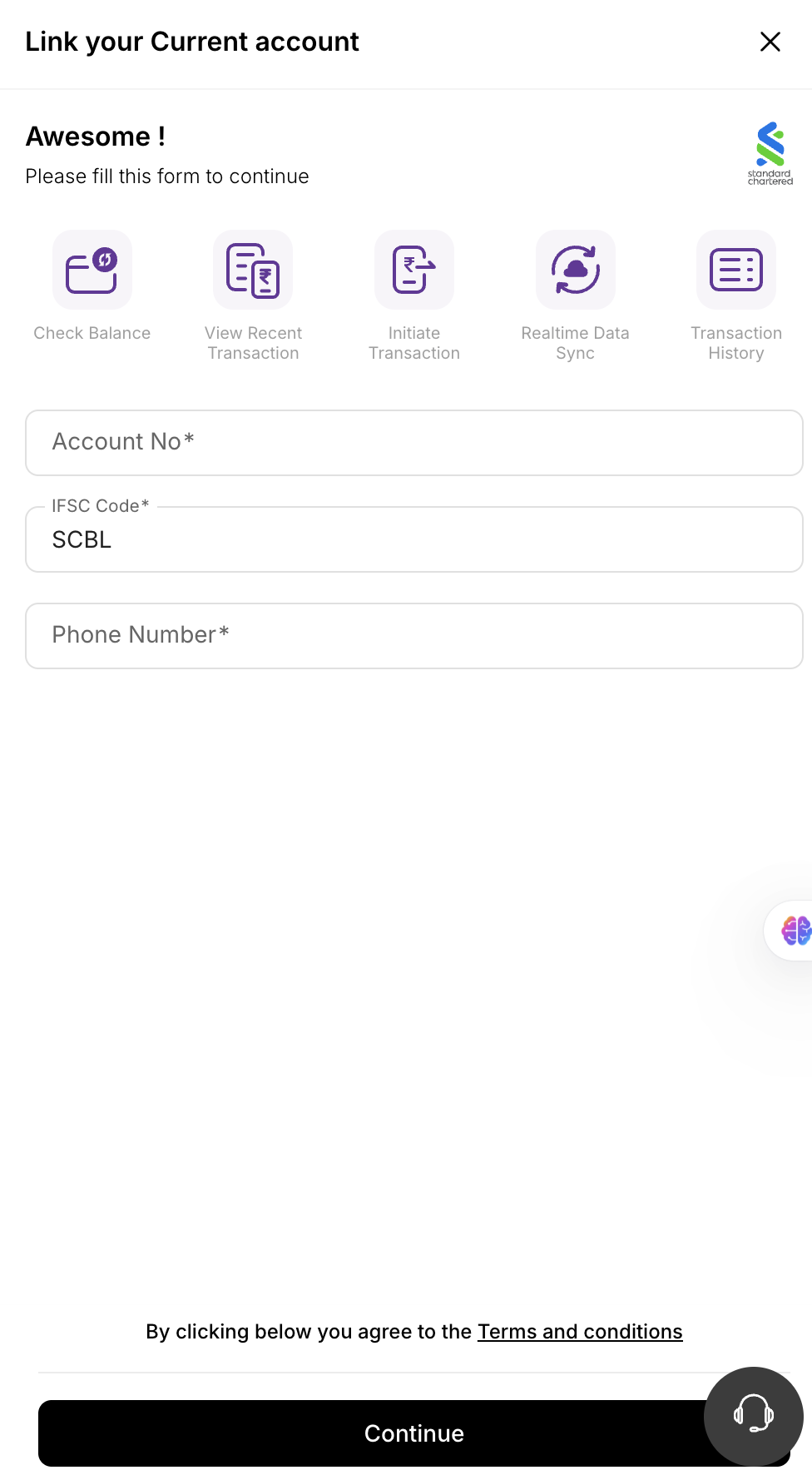
The company’s authorized user can log in to the Open Dashboard and link their SCB account digitally by providing:
- Account Number
- IFSC Code
- Linked Mobile Number
Notes
-
Once account linking is completed, users can:
- View balances for SCB accounts
- Download statements securely via APIs
- Initiate payments directly from the Open Dashboard
-
Ensure all SSL and RSA credentials remain valid and renewed as per security requirements.
-
Sample documents for the linking process.
Summary of Responsibilities
| Stage | Activity | Owner |
|---|---|---|
| 1–4 | Initiation, documentation, and approval | Company + SCB |
| 5–7 | Certificate sharing and API activation | Open Money + SCB |
| 8–9 | API subscription and account linking | Company + Open Money |
Once all steps are completed, Standard Chartered Bank Connected Banking will be successfully enabled on the Open Money Platform, providing seamless, API-driven access to your corporate banking services.
Updated 4 months ago