
Fund Transfer
The Fund Transfer API enables ERP platforms to initiate single or bulk payouts to vendor bank accounts via Open.
Workflow:
-
Initiate Transfer: ERP calls the Fund Transfer (Single / Bulk) API with the merchant’s username (email ID/mobile number), vendor bank account details, and name.
-
Transfer Mode:
- Single payout: Supported for all linked bank accounts.
- Bulk payout: Supported only for linked ICICI, Yes Bank, and AXIS accounts.
-
Session Validation: Open validates the merchant username and returns a redirect URL with a one-time session token. ERP must redirect the user to this URL.
-
User Interaction:
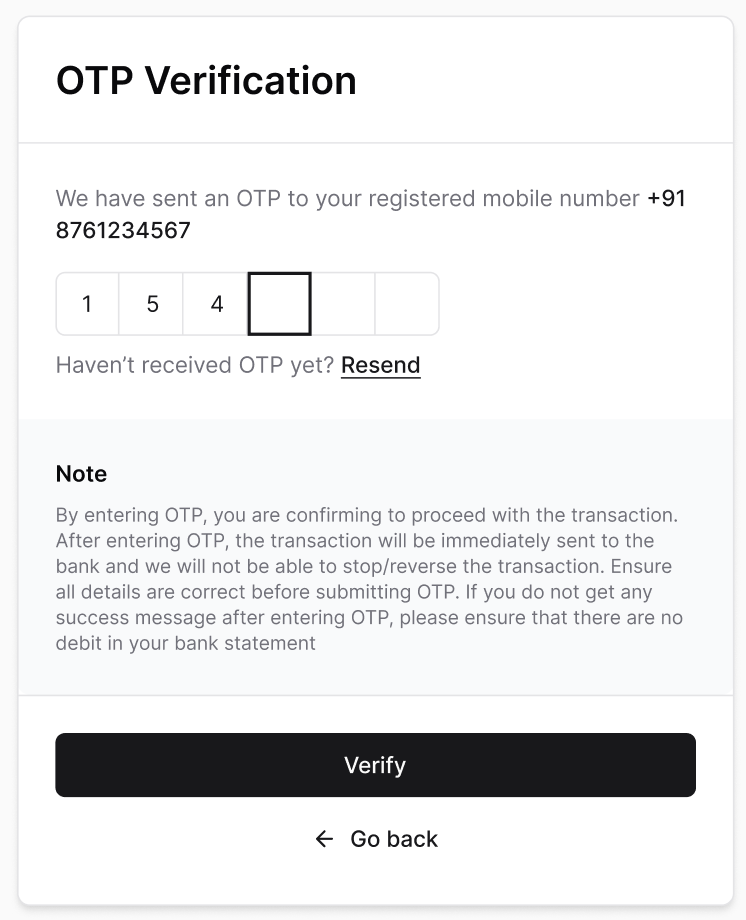
- User will get re-directed to a 2FA OTP verification screen to approve the vendor payout.
-
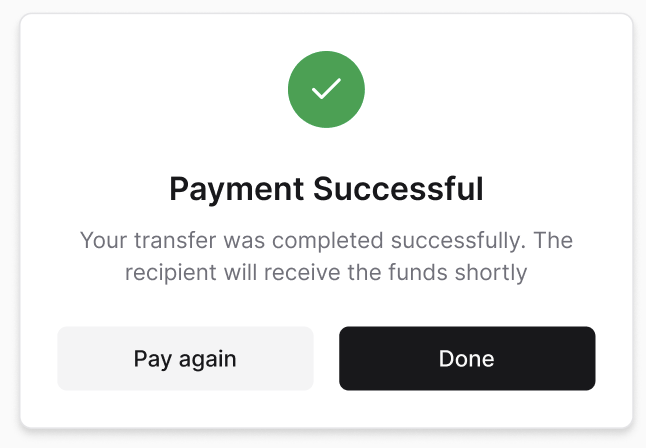
Completion: Upon successful fund transfer, the user is redirected back to the ERP-provided URL.
-
Status Tracking: ERP can check transfer status using the Get Fund Transfer Status API by providing
batch_idoropen_txn_id(and optionallyaccount_ref_id).open_txn_idis also returned in the Fund Transfer API response and webhooks. -
Webhook Notification: Open triggers a webhook to the ERP’s configured URL with the event
fund_transferand the corresponding transfer status. -
Bank-Specific Statuses: Each bank may return different statuses for fund transfers; refer to Open documentation for detailed bank-wise statuses.
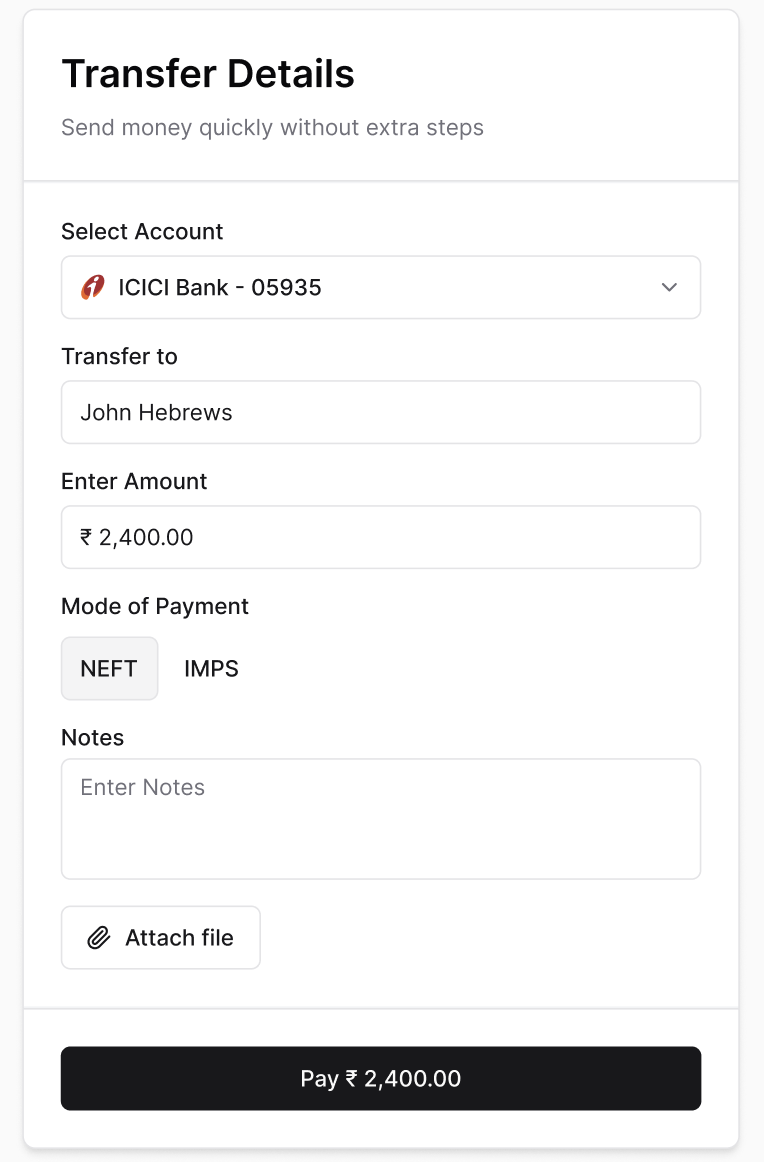
Fund Transfer Flow
- Fund Transfer Initiation
- OTP Confirmation
- Transfer Confirmation
Updated 2 months ago