
HDFC Account Linking Flow
HDFC Connected Banking — Onboarding via Open Money
Objective
This document outlines the step-by-step process for companies to initiate and complete the HDFC Bank Connected Banking integration through the Open Money Platform, leveraging HDFC Bank’s secure API framework.
Step-by-Step Onboarding Process
Step 1: Initiate Request with HDFC Bank
- Contact your HDFC Bank Relationship Manager (RM) and inform them of your intent to integrate with Open Money via HDFC Bank’s APIs.
- The RM will coordinate the onboarding process with HDFC Bank’s internal teams to initiate setup.
Step 2: Register on HDFC Bank Developer Portal (UAT)
- You will be directed to the HDFC Bank UAT Developer Portal for registration:
👉 https://developer-uat.hdfcbank.com:8443/ - Complete the sign-up process using valid organization details (name, business email, etc.).
Step 3: Registration Approval
- Once registration is submitted, HDFC Bank’s internal team will review and approve the request.
- Follow up with your RM to ensure timely approval of the UAT registration.
Step 4: Access the Developer Portal
After registration approval:
- Log in to the UAT Developer Portal using the credentials you created.
- Enter your username, password, and OTP (sent to your registered mobile number) to access the portal.
Step 5: App Creation in Developer Portal
- Navigate to the Launchpad section and create a new app.
- Recommended App Name:
OpenMoney
Step 6: App Configuration Details
When creating the app, enter the following configuration parameters:
a. IP Addresses
13.127.34.234
14.98.24.134
182.74.196.234
b. Callback URL
https://preprod-banking-dev-api.bankopen.co/hdfc/connected_banking/callback
c. SSL Certificates
- Generate a new SSL certificate.
- Upload the leaf, intermediate, and root certificates during app creation.
- Ensure all certificates are valid, correctly chained, and not expired.
Step 7: Bank Approval for App
- After app creation, your request will go for approval with HDFC Bank’s internal team.
- Coordinate with your RM to expedite this approval process.
Step 8: API Subscription
Once your app is approved, subscribe to the following APIs on the Developer Portal:
| API Name | Description |
|---|---|
| Large Statement Download | Fetch account statement data |
| Corporate CASA Basic Balance Inquiry | Retrieve account balance details |
| CorpPay Initiate Payment and Inquiry-v1 | Initiate payments and check payment status |
Step 9: API Approval by HDFC Bank
- Subscribed APIs will require approval before they become active.
- Contact your RM to track the progress and ensure all required APIs are approved.
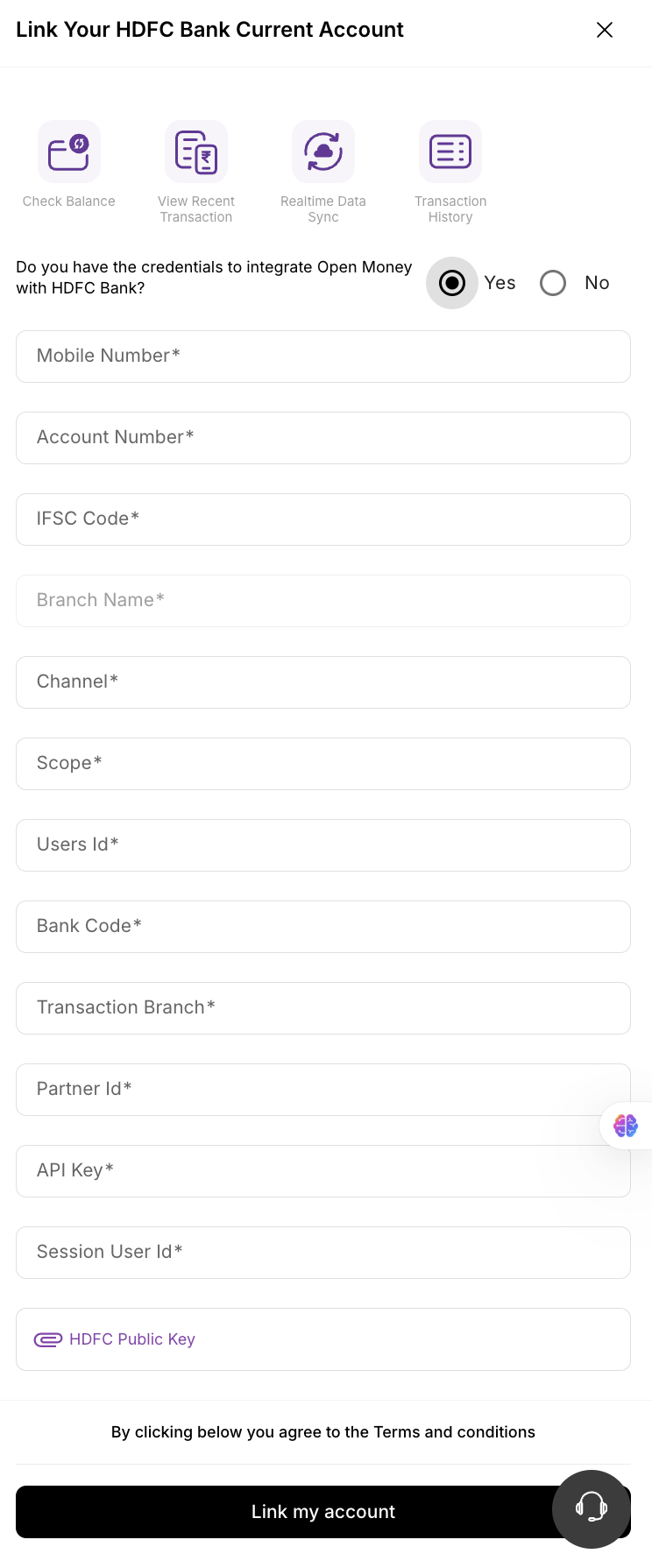
Step 10: Share Configuration Details with Open Money Team
Once all approvals are complete, share the following with the Open Money team:
- App Name and App ID
- List of approved APIs
- SSL Certificates (Leaf, Intermediate, Root)
- Private key associated with the SSL certificate
The Open Money team will configure these details in their backend and activate HDFC Connected Banking for your organization.
Step 11: UAT Testing and Go-Live
- Open Money will initiate UAT testing with your company to validate connectivity, authentication, and data flow.
- After successful testing and mutual confirmation from all parties, HDFC Bank and Open Money will move the setup to Production.
Notes
- Ensure SSL certificates are renewed before expiry to maintain uninterrupted connectivity.
- Always coordinate through your Relationship Manager for any credential or API access updates.
- Once live, you can use Open Money’s dashboard to view balances, fetch account statements, and initiate payments via HDFC Bank APIs.
- API-Statement Application Form Download here
- API-Statement Application Sample Form Download here
- Supplement BR Document Download here
- API Banking Application Form Download here
- API eNET Addendum Document Download here
Summary of Responsibilities
| Stage | Activity | Owner |
|---|---|---|
| 1–4 | Bank initiation and UAT setup | Company + HDFC Bank |
| 5–9 | App creation, configuration, and approvals | Company + HDFC Bank |
| 10–11 | API activation and UAT-to-Production migration | Open Money + Company |
Once completed, your HDFC Bank Connected Banking integration will be active within the Open Money Platform, enabling real-time API-based banking operations.
Updated 2 months ago