
Offline Form Submission Linking
Certain banks do not currently support digital account linking and therefore require customers to complete the process through offline form submission with the help of bank and Open. In such cases, the account linking request must be initiated and verified manually as per the respective bank’s procedures. This ensures compliance with the bank’s operational requirements while maintaining the integrity and completeness of the account linkage within the system. The list of banks that mandate the offline account linking process is provided below.
- ICICI
- HSBC
- HDFC
- SCB
- Yes
Offline Linked Account Flow
To initiate the offline form submission linked account process, the customer must follow the steps outlined below.
- Initiate the Linking Request
The customer must send a request to the Linked Account API endpoint. This API will return a redirect URL. - Display and Submit the Form
The returned redirect URL should be opened in the customer’s browser. It will display a form that the customer needs to fill out and submit.
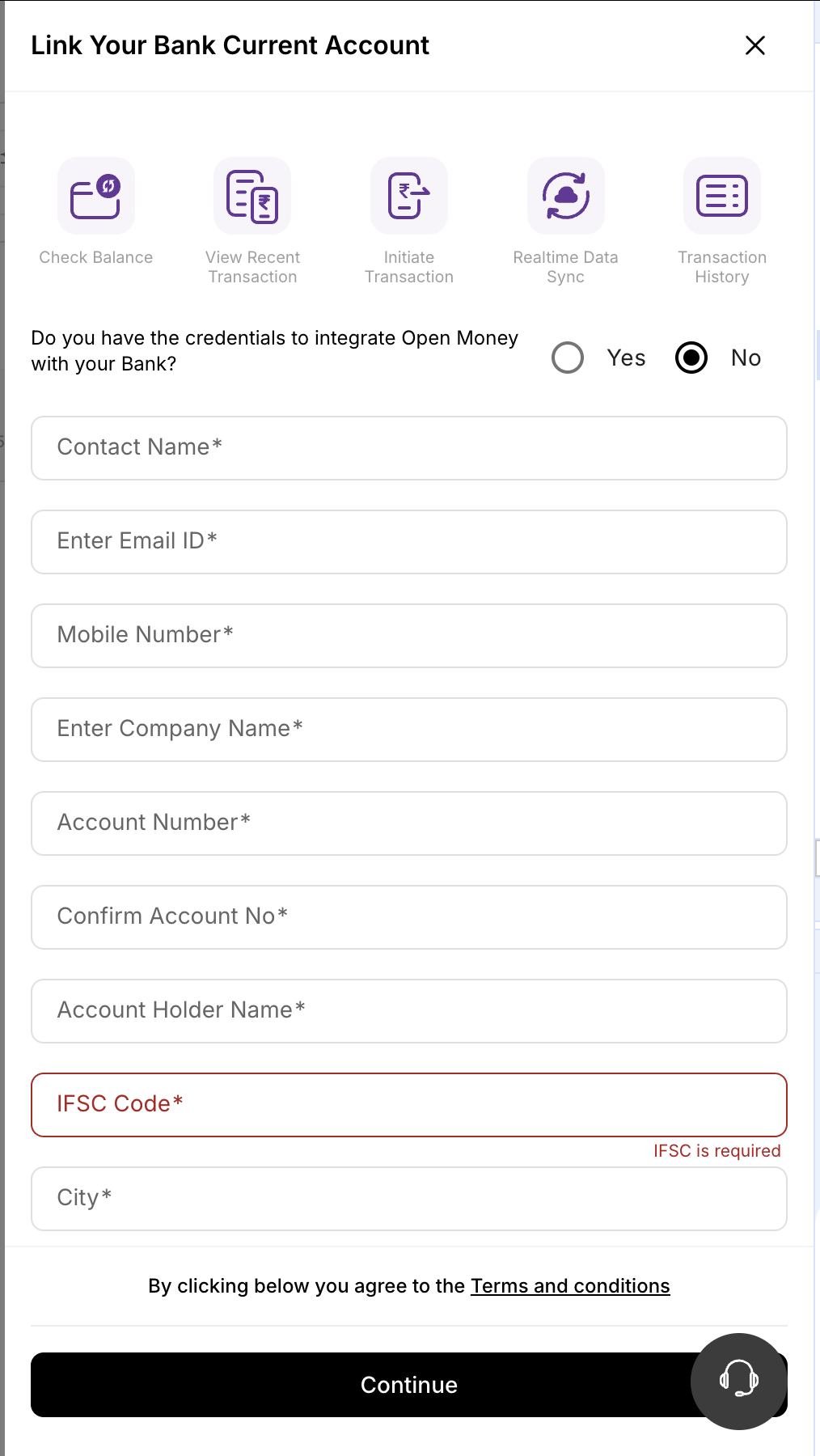
- Bank Processing & Credential Generation
Once the form is submitted, Open’s Operations Team initiates the offline linking process by coordinating with the merchant to collect the required account details and submitting them to the respective bank in the prescribed format. After validation by the bank, the merchant will receive the credentials needed to complete the account linking process. For all offline-linking enabled banks, once the merchant receives these credentials, the Get Linked Accounts API will return a redirect URL for accounts with the status final_submission_pending. The ERP system must redirect the merchant to this URL. - Final Submission for Account Linking
After being redirected, the merchant must enter and submit the credentials received from the bank to complete the account linking process successfully.
Updated 5 months ago
Did this page help you?