
Digital Linking
The Account Linking APIs enable ERP systems to connect a merchant’s bank account with Open for seamless banking operations. Below are the list of banks which allows digital linking of accounts.
- Axis
- SBI
- Kotak
- IDFC
Linking Workflow:
- Initiate Linking:
ERP calls the Link New Bank A/C API with the merchant’s username (email ID or mobile number) and bank/account identifier.
Open validates the username and returns a redirect URL with a one-time session token.
- User Authentication:
- ERP redirects the user to the provided URL.
- The user completes the account linking process by entering the required details as prescribed by the selected bank.
- Completion & Status:
- After linking, the user is redirected back to the ERP’s redirect URL.
- ERP can check the account linking status via the Get Linked Accounts API using the account_ref_id as a query parameter.
- The same API can be used to list all linked bank accounts for the user along with their current status.
Webhook Notification:
Open triggers a webhook to the ERP’s configured endpoint with the event type account_linking and the linking status once the process is complete.
-
Supported Banks:
- ICICI
- Yes Bank
- AXIS
- HSBC
- Standard Chartered (StanC)
- SBI
- Kotak
- IDFC
- HDFC.
-
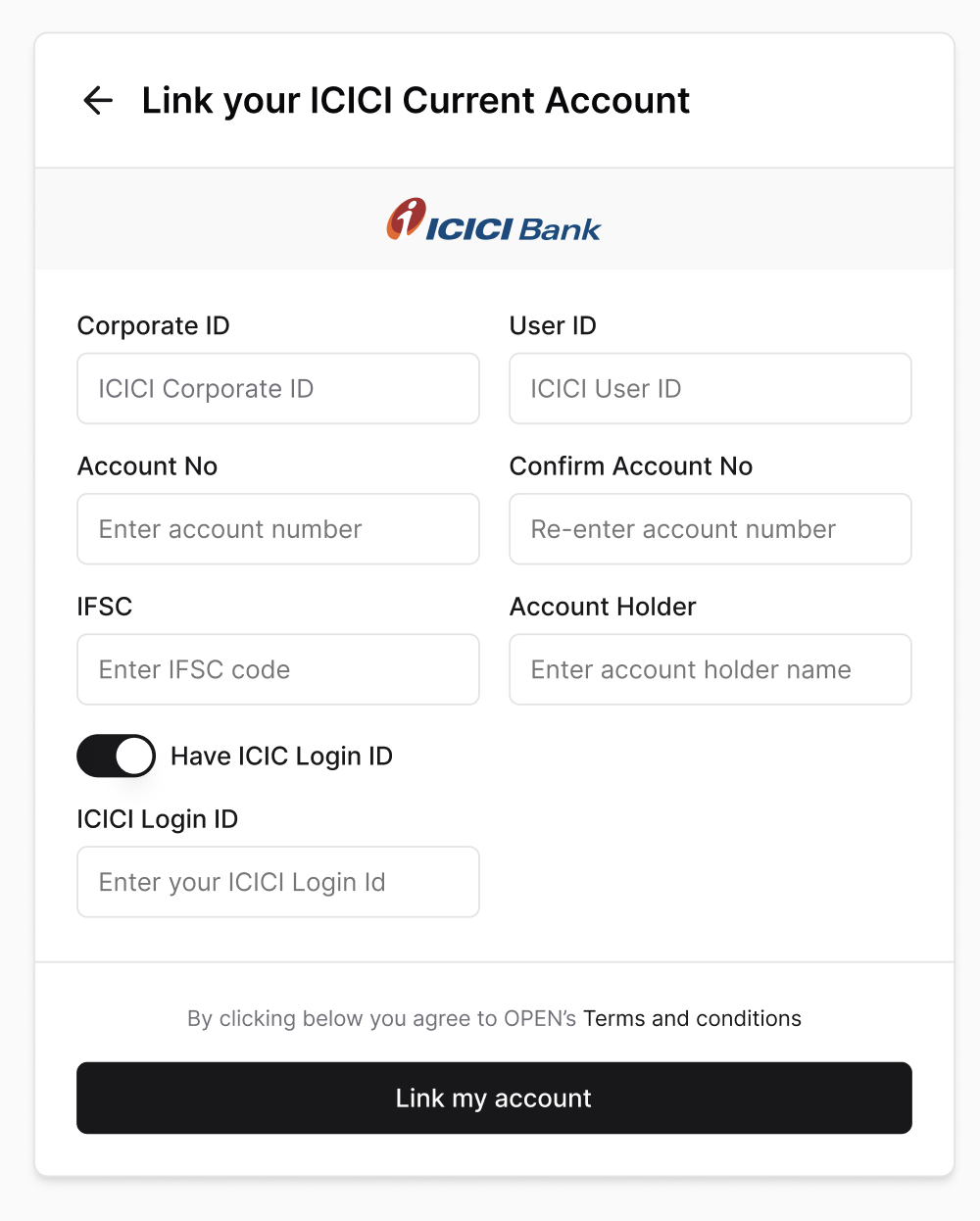
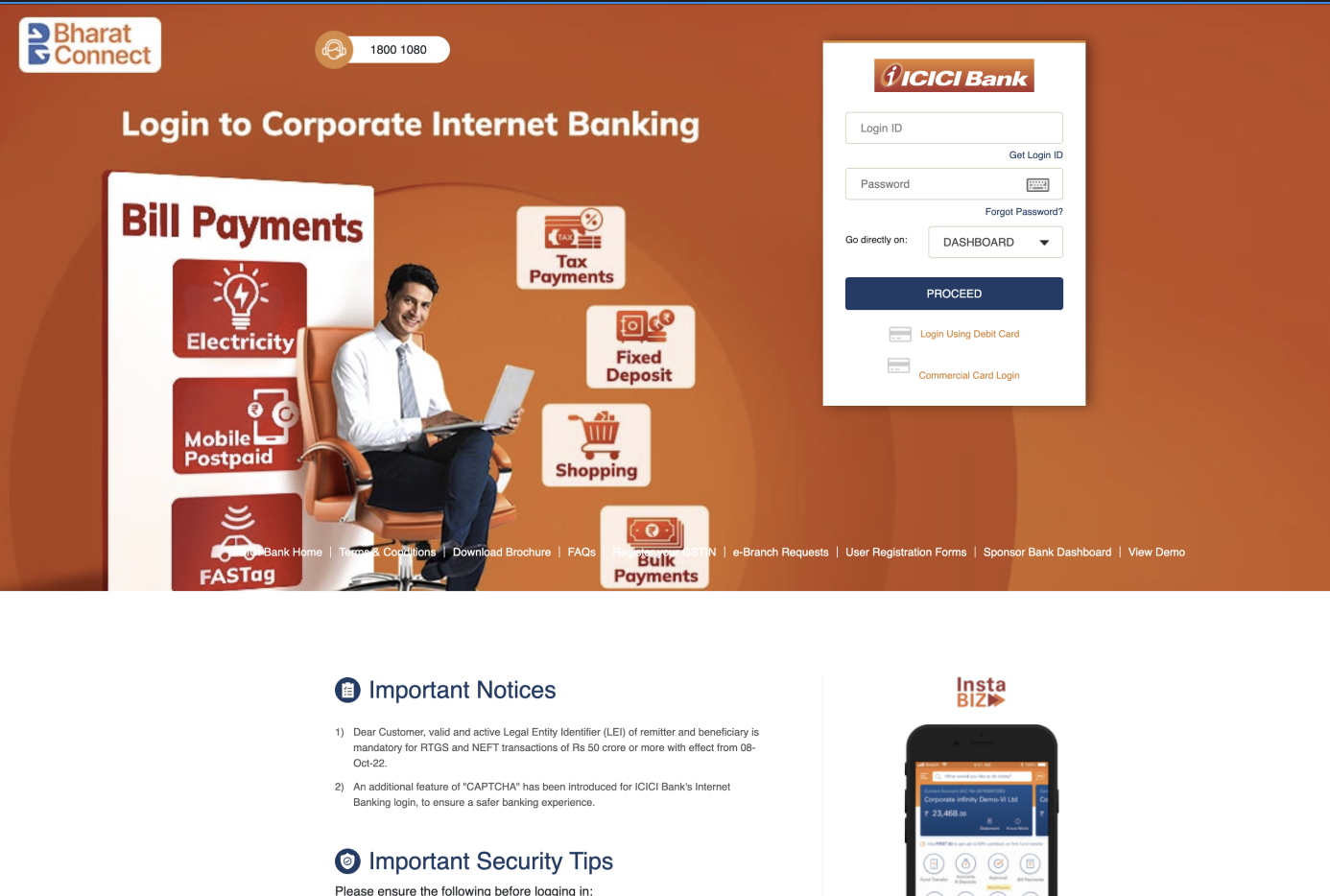
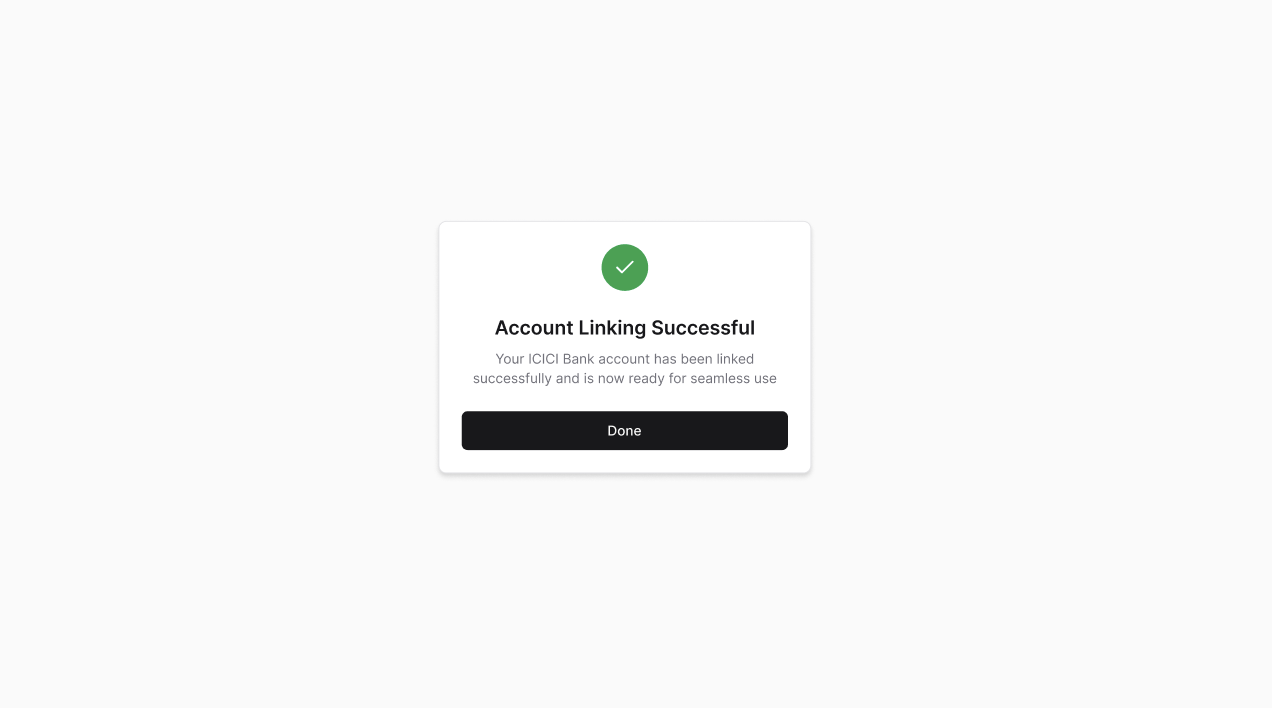
Account Linking Flow
- Provide the bank account Details
- Redirection to bank page
- Linking Confirmation
Updated 2 months ago
Did this page help you?