
HSBC Account Linking Flow
HSBC Connected Banking — Onboarding via Open Money
Overview
This guide describes the process for companies to enable HSBC Connected Banking through the Open Money Platform. Once activated, businesses can perform key banking operations such as viewing balances, fetching account statements, and initiating payments — all securely via HSBC’s API integration within Open.
The onboarding process involves coordination between your company, HSBC Bank, and Open, covering steps from bank registration to API configuration and account linking.
Step-by-Step Onboarding Process
Step 1: Contact HSBC Relationship Manager
Begin by reaching out to your HSBC Relationship Manager (RM) and inform them that your organization intends to use HSBC Connected Banking services through the Open Money Platform using APIs.
Your RM will initiate HSBC’s internal setup process to enable API access for your company.
Step 2: Bank Initiates Internal Setup
Once the request is received, HSBC will perform its internal onboarding steps to prepare API access for your organization. This includes verifying your business details, account eligibility, and setting up secure credentials for integration.
Step 3: API Credentials Shared by HSBC
Upon completion of the internal setup, HSBC will share the required API credentials with your company via email.
These typically include:
- Profile ID
- Secret Key
- Public Certificate
These credentials are essential for establishing secure communication between Open and HSBC systems.
Reference:
📧 Email Sample — View
Step 4: Share Credentials with Open
Once your company receives the credentials, provide them securely to the Open Money integration team.
The Open team will:
- Configure the Profile ID, Secret Key, and Certificate in the backend
- Validate API access with HSBC’s sandbox or production environment
- Enable HSBC Connected Banking integration for your organization
Step 5: Link HSBC Account on Open Dashboard
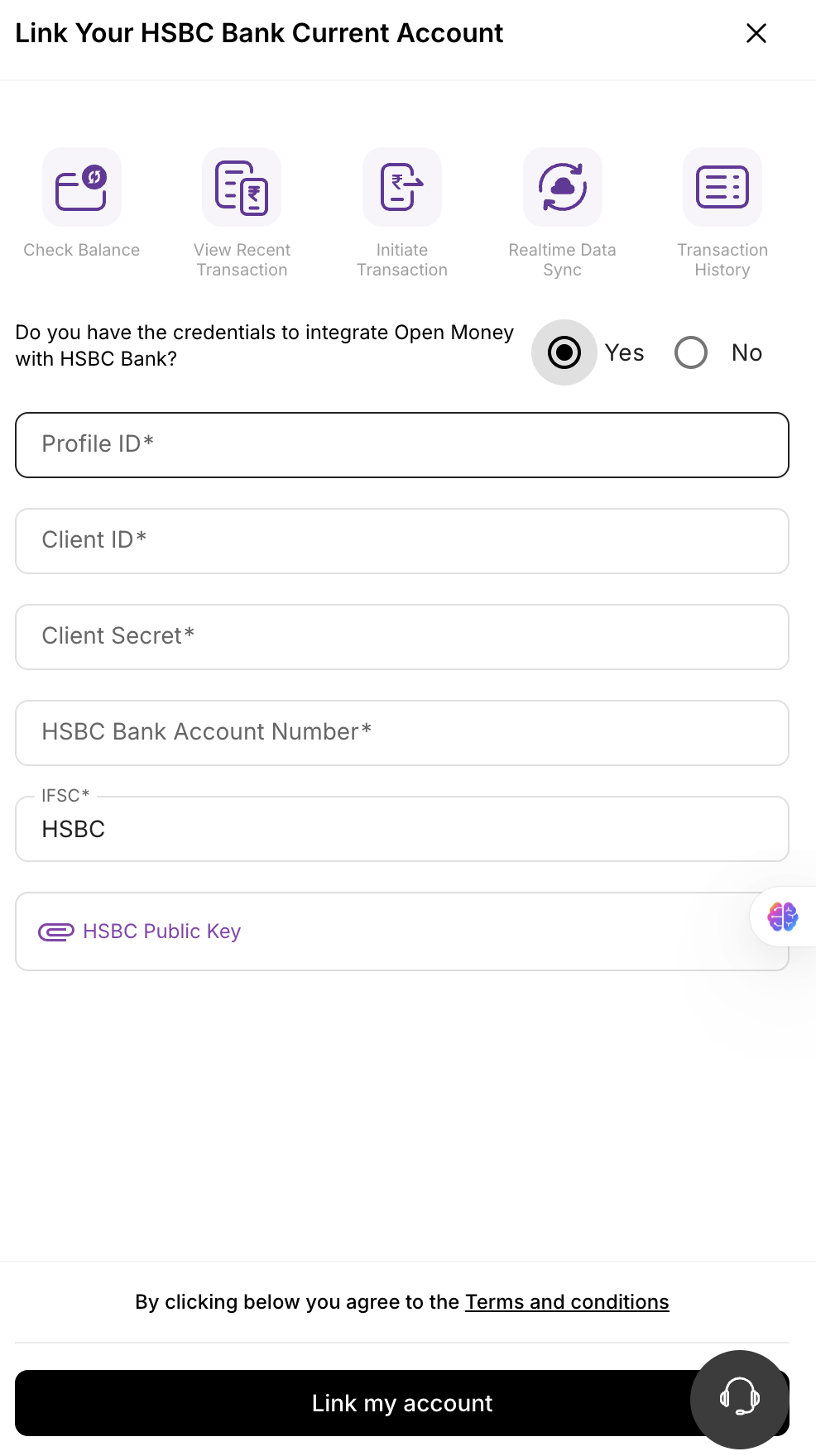
After Open configures and verifies the credentials, the HSBC account linking option will become available in your company’s Open Dashboard.
Corporate users can log in and link their HSBC current account directly by following the guided steps in the dashboard
Notes
-
Once your HSBC account is successfully linked, your organization can use Open to:
- View real-time balances across linked HSBC accounts
- Fetch account statements securely via API
- Initiate payments and transfers directly through HSBC API connections
-
Ensure that the credentials shared with Open are valid and remain active.
-
For any credential rotation or re-authentication, contact your HSBC RM and inform the Open support team.
Summary of Responsibilities
| Stage | Description | Owner |
|---|---|---|
| 1–2 | Initiate Request & Bank Setup | Company + HSBC |
| 3–4 | Credential Sharing & Configuration | HSBC + Open |
| 5 | Account Linking & Activation | End User + Open |
Once this process is complete, your HSBC account will be securely linked to the Open Money Platform, enabling real-time, API-driven banking capabilities.
Updated 2 months ago